28 de maio de 2026
LaunchBox for Android
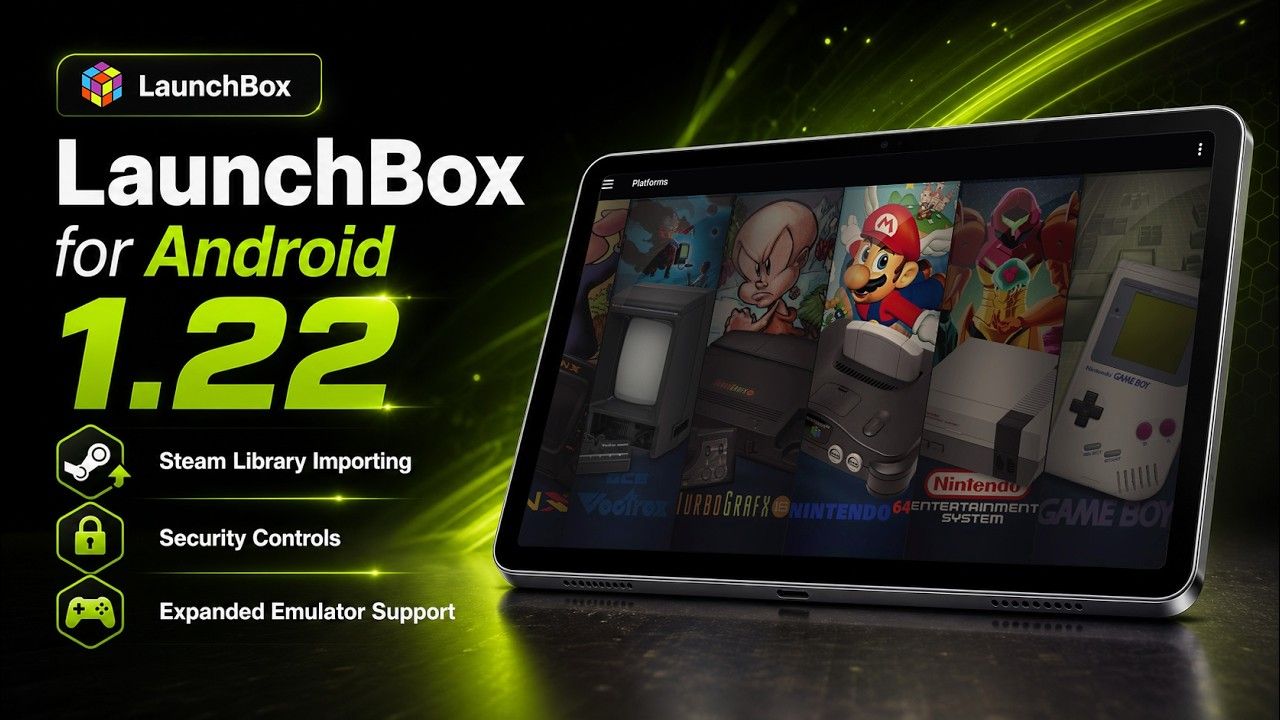
We are excited to roll out LaunchBox for Android 1.22! This update brings Steam library importing to Android, a new security system for locking down library management, expanded platform and emulator support, and a collection of quality-of-life improvements across media, themes, scoped storage, and library updates.
For the full list of changes, visit our complete changelog below.
🔗 LaunchBox for Android Changelog
Release Video
🕹️ Steam Library Importing Comes to Android
For more details on this feature, see our dedicated guide:
One of the biggest additions in this release is Steam game importing for the new Windows platform.

You can access the new importer through the new Manage Storefronts section from the main menu.

From there, logging into your Steam account is as simple as scanning a QR code. No convoluted API keys or digging through profile settings just to get started.

Once connected, LaunchBox can import your Steam collection, including games accessible through Family Sharing. This opens the door for organizing Windows games right alongside the rest of your Android library.

We also integrated with GameHub Lite and GameNative so imported Steam games can launch through compatible Android Windows launchers. These apps need to be downloaded and set up separately, but once they are configured, LaunchBox can hand supported games off to them.


Steam imports also include dedicated media support. Imported Steam games can now use Steam artwork and trailers, including box fronts, clear logos, backgrounds, and videos.

Finally, LaunchBox can compare your Windows or Steam platform against your Steam library, and add newly owned games automatically.

🔒 Security Controls
For more details on this feature, see our dedicated guide:
Original Feature Request:
This release introduces a new Security system.
You can now lock down specific functions of the app behind a PIN, giving you more control over what can be changed. This is perfect for handing your device off to kids so they can play without accidentally changing platforms, editing games, or messing up your carefully organized library.

The Security system includes extensive configuration options under Options > Security, so you can decide which management features should require a PIN and which parts of the app should remain freely accessible.

🎮 More Platforms, Emulators, and RetroArch Support
This release also expands platform and emulator support.
New platforms have been added:
Windows
Arduboy
Sega Model 3
Uzebox
WASM-4
Microsoft Xbox
We also added support for several new emulators:
GameHub Lite
GameNative
Pizza Boy SC Pro
Azahar (Vanilla)
Linkboy
Lynx.Emu
PICO-8: Android
PICO-8: Picpic
Aethersx2 (Turnip)
SkyEmu
MelonDualDS
YabaSanshiro Pro
Vita3k (ikhoeyZX)
Super3
X1 Box
aPS3e
eka2l1
RetroArch core mappings have also been added for Arduboy, Uzebox, and WASM-4. These platforms should now be easier to import and launch when using RetroArch.
The built-in Vita3k Android emulator launch command has also been fixed, improving out-of-the-box launching for Vita3k users.
📚 Library, Theme, and Media Improvements
We’ve also several improvements aimed at making day-to-day library management clearer and more reliable.
Optimize Library behavior has been updated so star ratings across your entire library refresh automatically when running an Update Library scan. This helps keep ratings accurate without requiring extra manual cleanup.
Theme updates are now easier to spot. LaunchBox now shows a green badge on the Manage Themes menu item and next to individual themes when updates are available.
Local and Cloud filters have also been corrected. Games with local files now appear under Local, while Cloud only shows games that exist only on a configured network or cloud location.
Media downloads should also behave more consistently. We fixed possible image resize conflicts that could cause media to fail or become inconsistent when multiple images were being processed at the same time.
🧰 Android Reliability and Scoped Storage Fixes
This release includes several fixes focused on app stability, launching, and scoped storage behavior.
We fixed a possible crash that could happen when returning to LaunchBox if notification or data services were not available yet when the app resumed.
Scoped Storage handling has also been improved in a few important places. Setting a Scoped Storage path now works correctly when LaunchBox is running as a homescreen launcher.
Additional applications and alternate versions should now launch using the correct file path or URI. LaunchBox will also use the selected application path during scoped-storage lookup, which helps when launching an alternate version or additional app instead of the main game file.
We are really excited to keep expanding what LaunchBox for Android can do, especially now that Windows game support is starting to become part of the experience. The future of ARM devices is looking bright!
For the full list of changes, visit our complete changelog below.
🔗 LaunchBox for Android Changelog
13 de maio de 2026
LaunchBox for Windows
A Big Level Up for Achievements, Saves, Setup, and More 🎮⬆️
LaunchBox 13.27 is all about leveling up the features you already use, with improvements for players who love tracking progress, protecting saves, browsing media, and keeping their setup running smoothly.
This release includes major RetroAchievements expansions, a significantly upgraded Save Management experience, clearer first-time setup flows, smarter imports, Big Box improvements, media viewing upgrades, and plenty of everyday polish.
Check out the release video or see a breakdown of the major highlights below. Let's jump in.
For the full list of changes, visit our complete changelog below.
🔗 LaunchBox for Windows Changelog
RetroAchievements Gets a Major Upgrade 🏆
Track progress faster, browse achievements easier, and show the stats you care about ✨
RetroAchievements now feel more at home across LaunchBox and Big Box. LaunchBox’s Game Details pane can show new Time to Beat and Time to Master stats, giving you a quick sense of whether a game is a light achievement hunt or a full mastery project before you jump in. This info is pulled directly from RetroAchievements and uses real-time player completion data to give accurate playtime commitments. Already signed into RetroAchievements in LaunchBox? Then you will automatically see this in the Default theme. Nothing more for you to do, just enjoy!

The same widget also shows up across various views in Big Box, and the best part about it is that it’s dev-ready, so theme developers can incorporate it into their custom themes.
Theme Developers: find the new goodies here.

In Big Box, achievement lists are now filterable, making it much easier to narrow things down from the couch instead of scrolling through everything at once.

RetroAchievements profile pages have also been revamped in both LaunchBox & Big Box to load much faster and show more information, so checking your RetroAchievements progress feels quicker and more useful.
Additionally, LaunchBox now also supports configurable RetroAchievements stats, so you are no longer limited to showing only hardcore points. To choose what appears, right-click the RetroAchievements stat in the top menu bar and select the stat you want LaunchBox to display.

Finally, achievement badge support has also been added for WiiWare games, making it easier to spot RetroAchievements-supported WiiWare titles directly in your library.
For more information on RetroAchievments integration, see our dedicated guide below:
RetroAchievements in LaunchBox
Save Management Gets a Serious Upgrade 💾
Updating from an older version? ⚠️
If you already use LaunchBox Save Management, we highly recommend reading the migration guide before making major changes to your setup. Some save tracking behavior has been improved in 13.27, and the guide will help you understand what changed, what to check, and how to make the transition safely.
👉 13.27 Save Management Migration Guide
Save Management has been expanded with better tracking, automatic backups, backup-on-close options, backup limits, manual backup scans, save version history, labels, and grouped saves. If you are testing emulator settings, switching cores, or protecting long-running saves from accidental overwrites, LaunchBox now gives you more ways to keep your progress safe.
For setup details on how utilize save management, see our in-depth guide for this featureset 👉 Managing Save Games and States
The big new headline is expanded support for Dolphin and PCSX2. That means Save Management can now help track saves across Nintendo GameCube, Nintendo Wii, Nintendo WiiWare, and Sony PlayStation 2 setups in ways that were not previously supported.
Store your saves inside a PCSX2 memory card? No problem. Using Dolphin for GameCube, Wii? LaunchBox can now do a much better job finding the saves that belong to those games. The goal is simple: more of your emulator saves can be tracked, backed up, labeled, and restored directly through LaunchBox.

The new backup tools can keep a rolling history of your saves, so you can go back to an earlier version if something gets overwritten, corrupted, or changed in a way you did not expect. Backup-on-close is especially useful for games that write saves when the emulator exits, while backup limits help keep your backup history useful without letting it grow forever.

Manual backup scans give you a way to refresh what LaunchBox knows about your saves, and save version history makes it easier to see what backups are available before restoring anything.
Labels and grouped saves are where this gets especially useful. Labels let you add context to a save beyond just the date and time, such as identifying your original "Childhood Save" dumped from original hardware. Grouped saves help keep related saves together, which is great for long RPGs, challenge runs, alternate routes, or games where you want to track multiple milestones.

RetroArch save handling has also been improved, especially for Saturn and Sega CD style saves. Because these platforms can use multiple files for a single save, LaunchBox now does a better job identifying those related files and managing them together as one save instead of treating them like separate pieces.
Setup and Imports Are Easier to Follow 📥
The Welcome Wizard has been overhauled with staged progress, clearer status messages, better retry handling, media download limits, and persistent image download queues. First-time setup should now feel much less like waiting on a mystery box and much more like a guided process where you can see what LaunchBox is doing.
This is especially useful during larger imports. You can better understand which stage you are on, limit how much media is downloaded during setup, and let image downloads continue more reliably instead of losing track of what still needs to be fetched.

Several import flows have been improved too. Xbox 360 imports now support default.xex and Games on Demand formats across all import workflows, Ubisoft imports have better filtering and name cleanup, Xbox storefront imports have improved lookup and caching behavior, and LaunchBox now uses smarter ROM prioritization when combining multiple versions of the same game.

There is also a helpful FinalBurn Neo change: LaunchBox now automatically unchecks Extract ROMs for the emulator-associated platform, preventing unnecessary extraction for that setup.
Game Details Feels Faster and More Useful ⚡
Game Details has received several upgrades aimed at making it quicker to browse and more helpful at a glance. As mentioned above, RetroAchievements-supported games can now show Time to Beat and Time to Master stats, giving you more context before you launch into your next achievement run.
Performance has also been improved by deferring expensive Game Details and Related Games loading until it is actually needed. This helps reduce unnecessary work while browsing, especially in larger libraries or media-heavy setups.
Fullscreen image viewing now supports pixel-perfect integer scaling, image detail labels, and better fullscreen monitor behavior, making artwork and screenshots cleaner to inspect from when viewing images fullscreen.
Game Details videos are easier to control now too, with new in-app video playback controls for a smoother viewing experience without leaving LaunchBox.

There is also a new Assume Game Paths Exist preference. When enabled, LaunchBox can avoid repeatedly checking whether every game path exists during browsing, which can help Game Details and library navigation feel more responsive in certain setups.

Media Fixes, Smarter Search, and More Polish 🎬
Steam trailer downloads are working again after Steam changed how some trailers are delivered. LaunchBox now handles Steam's newer streamed trailer format, meaning you can once again download Steam trailers with your media.

Video playback received several stability improvements too, especially for Big Box users. FFMPEG playback has been made more reliable, rare crashes related to video cleanup have been fixed, Windows Media Player view-navigation crashes have been addressed, and an issue where auto-play music could lock up the UI after Big Box opened has also been resolved.
Big Box Hybrid views now have their own dedicated search behavior as well. Searches stay scoped to the current platform or playlist instead of kicking you out into a global search, which makes Hybrid views feel much more natural when browsing from the couch.
A few smaller workflow improvements round things out, including an Open Emulator shortcut in Manage Emulators, more reliable popup and plugin badge handling, and several crash fixes across editing, options, licensing, and emulator setup.

One More Thing: System Tray Support Is Now Free 🧺
LaunchBox has learned a new trick: politely getting out of the way. System tray support, previously a premium-only feature is now available to users on the free version.
If you like keeping LaunchBox running quietly in the background without taking up taskbar icon space, this one is for you.

Wrapping Up 🙌
All in all, 13.27 is one of those updates that makes a lot of familiar parts of LaunchBox feel just a bit smarter, safer, and smoother to use. Whether you are chasing achievements, protecting saves, setting up a new library, or just browsing from the couch, there is a lot here that should make your day-to-day experience better.
Thanks as always to everyone testing, reporting, suggesting, and helping shape LaunchBox 🙌
For the full list of changes, fixes, and smaller improvements, visit the complete changelog below.
10 de fevereiro de 2026
LaunchBox for Windows
NOTE: This is a hotfix release for 13.25 and improves upon some of the changes introduced there. For the full list of changes in 13.25, see the changelog here:
The Hotfix & Harmony Release 🎧🔧
While this release may look modest on the surface, it brings some much-needed love to the music engine and audio behavior across both LaunchBox and Big Box.
Think of it as a tune-up, focused on stability, smoother playback, and audio that just works. But we also managed to sneak in a big bonus for arcade fans.
Below is a friendly breakdown of what’s new and what’s been fixed in version 13.26.
For the full list of changes, visit our complete changelog below.
🔗 LaunchBox for Windows Changelog
🎮 FinalBurn Neo Arcade Import Support
Requested behind the scenes by a number of FBNeo fans
We’ve added full FBNeo ROM import support to both the Single Platform Import wizard and drag-and-drop imports. That means you can now bring your FinalBurn Neo-based arcade collections into LaunchBox without weird workarounds or manual config. It just works.
🎧 Music Engine Fixes and Improvements
Audio got a serious upgrade in 13.26, especially if you’re a fan of background or game music.
Here’s what’s better:
🪄 Looping is fixed – no more music cutting off at the end of a track
🎵 Playback is smoother and more stable – less skipping, no surprise stops
🎛 Audio mixing behaves correctly in screensavers
🧠 Music engine now runs more efficiently, off the main thread, and reuses the same VLC session for better performance
Plus, you now have a new option in Big Box to play video audio alongside background music for setups where you want both.

🎬 Video & Media Fixes
Platform videos now stop properly when the details pane is closed
Video playback restored in Platform Hybrid views
Video volume handling hardened to avoid crashes
Better media list memory handling = smoother long sessions
Backgrounds and thumbnails now behave more predictably
Cached images handle edge cases more reliably
🛠️ Other Notable Fixes
Fixed RetroAchievements scanning for compressed (7zip) games
Improved support for non-MAME arcade files like Hypseus Singe
Fixed a freeze that could happen during game imports
Sidebar show/hide issues resolved
If you want to help shape future releases, hop over to our feature request board, vote on ideas, request new features, and be part of the shaping force behind LaunchBox. 🙌
For the full list of changes, visit our complete changelog below.
🔗 LaunchBox for Windows Changelog
27 de janeiro de 2026
LaunchBox for Windows
Note some known issues in this release were addressed in 13.26, we highly reccomend upgrading to this version instead:
The Community Powered Release 🚀💛
Every once in a while, a LaunchBox update rolls in that feels like it was built in the middle of a giant community brainstorm session. Version 12.25 is exactly that kind of release.
This entire set of features came directly from user requests on our feature request board. You told us what mattered, you voted, you discussed, and we took note.
Below is a friendly, easy to understand breakdown of each major feature, let’s jump in. 💫
For the full list of changes, visit our complete changelog below.
🔗 LaunchBox for Windows Changelog
Release Video
Check out an overview of this from release from ETA Prime!
Edit Game Navigation 🔄 🎮
Requested by: RetroFrogg
Have the option to move to the next/previous game in the game edit window
Editing made smooth, fast, and actually enjoyable
Ever get stuck in a cycle of opening Edit Game, closing it, opening it again on the next title, and wondering why this process felt so slow? RetroFrogg wondered too, and sparked this upgrade.
Now you can use Next and Previous inside the Edit Game window to zip through your games. But here is the best part:
The list you navigate through always matches your current view
Filtered to only Sonic games?
You will flip through only Sonic games inside the Edit window.
Sorted by release year?
That is the order the navigation will follow.
Changed the filter before opening Edit?
Navigation instantly reflects that.
This turns editing into a seamless flow instead of a stop and start chore.

Customize Filters Side Bar 🧹📚
Requested by: Mooken
Customization of Left Sidebar Dropdown Menu
Your sidebar, your rules, your perfect workflow
The sidebar is incredibly powerful, but not everyone uses it the same way. Mooken championed the idea that users should be able to shape it however they like, and now you can.
You can:
🌟 Move sidebar sections up or down
🌟 Hide sections you never use
🌟 Restore them whenever you want
This is the sidebar glow up that keeps your space clean, personal, and perfectly tuned to your habits.

Platform Documents 📄✨
Requested by: RetroFrogg
Support for Platform Manuals
A home for your manuals, notes, lists, and guides
LaunchBox now supports attaching documents directly to platforms, giving you a smart place to store anything relevant to that system. Want to attach an original console manual? A personal compatibility list? Go for it.
With this feature, you can:
📎 Add documents to any platform
🔢 Reorder them
🚀 Open them from LaunchBox’s Game Details Pane
It creates a richer, more informative platform experience that feels like a digital binder for your collection.

Bulk Edit Star Ratings ⭐
Requested by: Dirko
Bulk Edit Star Rating
Rate dozens of games in seconds, not minutes 💫
Dirko championed the idea that rating games should not be a one-by-one slog. With this update, you can now apply star ratings to as many games as you want at once.
You can:
⭐ Give full stars
⭐ Give half stars
⭐ Remove ratings entirely
Even better, if statistics sync is enabled, those ratings are uploaded to your LaunchBox account and shared across devices including Android.

3D Model Rotation Lock 🔄📦
Requested by: RetroFrogg
Vertical Rotation Lock & Momentum for 3D Box Models
A new level of control for 3D model lovers
Whether you use the 3D box carousel or love to spin the box in full screen, this feature gives you finer control over how your models behave.
You can now:
🎯 Keep rotation fully free
🎯 Lock it horizontally
🎯 Lock it vertically
This is especially useful for keeping your 3D boxes framed the way you like them without drifting off center. Simple, subtle, and extremely satisfying.

Update All Emulators 🧰
Requested by: AstroBob
“Update All Emulators” Button in Manage Emulators Window
One click updates for every emulator you use
Managing a dozen emulators does not have to feel like a part time job, and so LaunchBox now includes an Update All button inside Manage Emulators.
Click once.
LaunchBox updates every auto updating emulator.
Locked emulators are respected and skipped.
If you are the type who loves an up to date system but hates babysitting updates, this one is for you.

Remove Associated Media When Deleting a Game 🧼🗑️
Requested by: KevinInSeattle
Option to Remove Associated Media When Deleting a Game
Clean, clutter free game removal
Previously, when removing a game from LaunchBox, the only way to remove it’s media was to use the “Cleanup Media” tool to clean it up.
Now, when deleting one game or many, you have an additional option to remove associated media such as artwork, videos and manuals instantly. This keeps your library tidy, your storage clean, and your collection exactly the way you want it.

Progress Automation Whitelist 🎯📈
Requested by: AstroBob
Expand Progress Automation to Include “Want to Play”
Smarter, more flexible progress tracking for all play styles
Progress automation is powerful, but previously it only worked for games using the exact values the system expected. If you used values like Want to Play or any custom value and wanted them included, automation ignored those games entirely.
The new whitelist fixes that.
You decide which progress values count
If a games current value appears on your whitelist, LaunchBox will now automatically update that game when you:
🎮 Play it
🔓 Unlock achievements
⏱️ Hit time thresholds
It makes automation smarter, more adaptive, and aligned with your personal organization method.

Every feature listed above was sparked by a real user on our FeatureBase board. If you want to help shape future releases, hop over to our feature request board, vote on ideas, request new features, and be part of the shaping force behind LaunchBox. 🙌
For the full list of changes, visit our complete changelog below.
🔗 LaunchBox for Windows Changelog
4 de dezembro de 2025
LaunchBox for Android
We are excited to roll out LaunchBox for Android 1.21! It brings new features, cleaner workflows, and behind the scenes performance improvements that you will likely notice the moment you start using it. Here is what is new in this update.
For the full list of changes, visit our complete changelog below.
🔗 LaunchBox for Android Changelog
Release Video
Check out an overview of this from release from ETA Prime!
🎮 Game Progress Tracking Suite
One of the most requested features from our community has finally made its way into LaunchBox for Android. Game Progress Tracking is here, and it is built to help you stay organized across big libraries, long games, and ever rotating backlogs.
You can now track how far you are in any game by updating your progress right from the game menu. Whether you are actively playing it, finished it, or returning later, your library will always reflect where you left off.
From there, we added a fully customizable Game Progress Organization page. You can reorder progress states, rename them, or even build your own entirely custom categories. If your workflow is 100 Percented, Paused, Retired, or Just Started, you can shape the system around your style.
Finally, explore the Game Progress Automation page. This lets LaunchBox automatically update your progress based on gameplay activity. Just scroll through the rules to see how the system works. It is designed to save time for users who want their library to stay accurate without manual updates.

🏠 Home Screen Launcher Mode
Set LaunchBox as a Default Home App on Android
Version 1.21 also introduces something huge: LaunchBox can now be used as a full home screen launcher.
Turn it on in the Options menu, then hop into your Android system settings to select LaunchBox as your default home launcher. Once that is set, pressing the home button drops you straight into your LaunchBox library. It gives your device a clean, console like feel, especially for handhelds or dedicated gaming setups.
This mode is something we have wanted for a long time, and it completely changes how LaunchBox can fit into your day to day use.

🔄 Platform Update Games
Managing ROMs outside the app just got a whole lot easier.
With 1.21, you can now update LaunchBox with changes you make directly in your platform folders.
When you long press a platform and choose Update Games, LaunchBox scans the files in that folder, compares them with your library, and automatically adds any new games it finds. There is also an optional toggle to remove games whose ROM files no longer exist in the folder.
Important note:
LaunchBox never modifies or deletes ROMs.
We only read what is present and update your library to match reality.
This one has been requested for a while, and it brings a ton of convenience to users who regularly tweak their collections.

🌐 NAS Management Made Simple
If you run your library from a NAS, version 1.21 adds a dedicated tool just for you.
The new NAS Management page under Options shows all mapped drives along with their connection statuses.
If a drive goes offline or its IP changes, you can repair the mapping in one tap. No more digging through settings or remounting things manually. It is a small but powerful step toward making LaunchBox more friendly for advanced setups.
🆕 New Emulators Added
We also expanded the list of supported emulators in 1.21. You will now find:
AzaharPlus, Snapulator MS, Snepulator SG, ARMSX2, Eden, Suyu, Sudachi, Sudachi (Early Access), Kenji-NX, Benji-SC, NooDS, MelonDS Dev (Dual Screen Fork)
It is always exciting to bring more compatibility into the app, and this lineup adds some fun new possibilities.
⚡ Performance Improvements
LaunchBox for Android 1.21 includes major performance upgrades across the board.
The most noticeable boost is startup time. In our internal tests, a library of around 5000 games dropped from about 9 seconds at launch to roughly 3 seconds. It feels dramatically faster in practice.
We also improved automatic image downloading so your game lists populate more quickly and consistently.
For the full list of changes, visit our complete changelog below.
🔗 LaunchBox for Android Changelog