RetroAchievements Icon & Link in Game Details Pane
Note: This feature depends on the implementation of the following feature in order to be possible: Add RetroAchievements Game Page ID to LaunchBox Games Database
📋 Summary
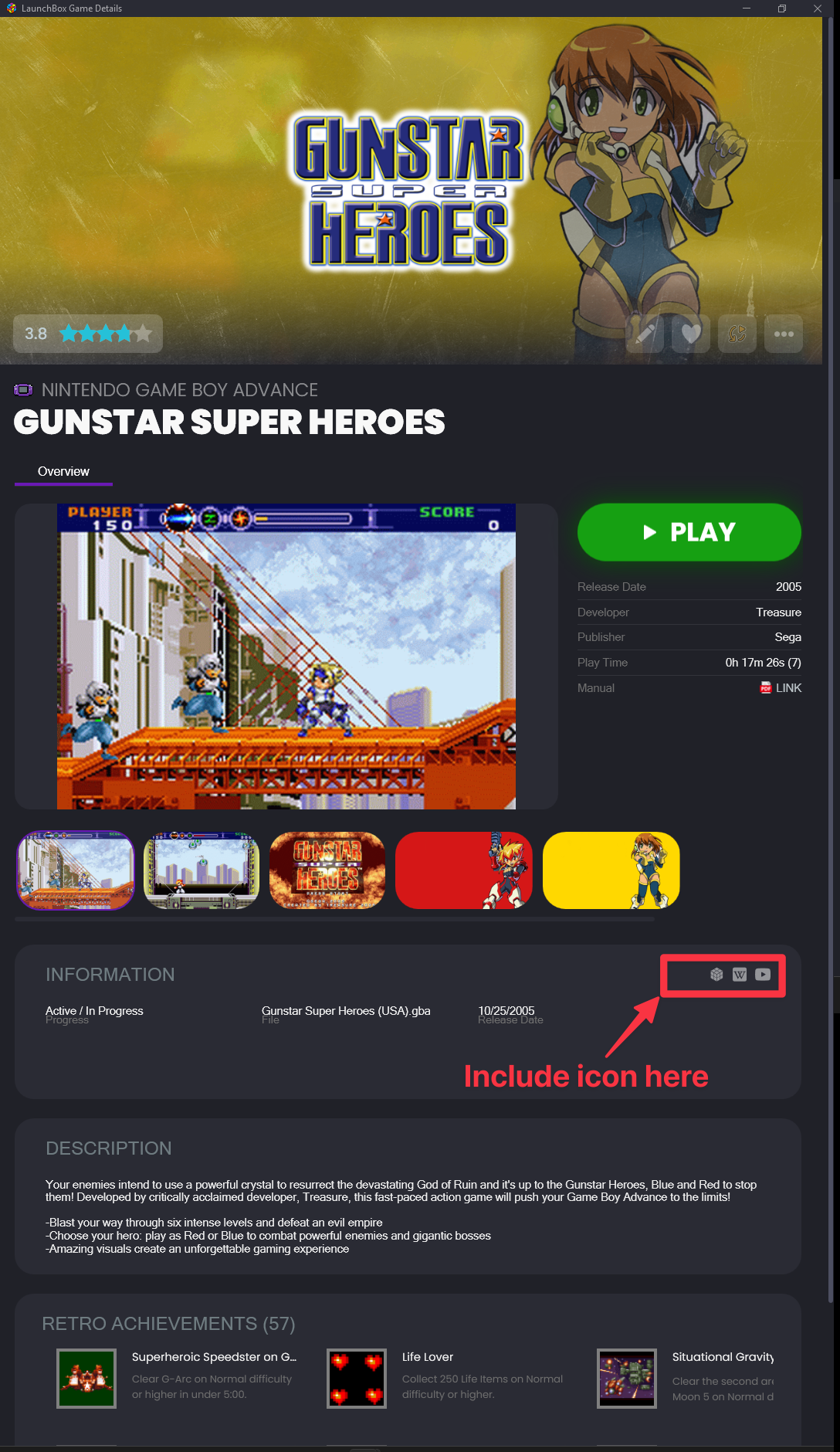
In the LaunchBox game details pane, certain icons link to external resources when relevant—such as:
LaunchBox icon → Links to the game’s LaunchBox Games Database entry
Wikipedia icon → Links to the game’s Wikipedia page (if set)
YouTube icon → Links to a YouTube video (if set)
Steam icon → Links to the game’s Steam store page (if applicable)
This request proposes adding a RetroAchievements icon in the same area, which would link directly to the game’s main RetroAchievements page if a set is available.
❗ Problem
Currently, the only way to navigate to RetroAchievements from the game details pane is by clicking an individual achievement icon—this takes you to that specific achievement on the RA site. There’s no way to quickly access the game’s main RA page, which is useful for reviewing all achievements, leaderboards, and set information in one place.
💡 Proposal
Detect if the game has a RetroAchievements set associated with it.
If so, display a RetroAchievements icon alongside existing external link icons in the game details pane.
Clicking the icon opens the game’s main page on retroachievements.org in the default browser.
🧩 Benefits
Quick, one-click access to the full RA set, leaderboards, and community info.
Consistent with how other external resources are handled in LaunchBox.
Eliminates the need to manually search RetroAchievements for the game.
📍 Placement
The icon would appear alongside the existing external link icons in the game details pane (see attached screenshot for example positioning).
Please authenticate to join the conversation.
Open To Community

LaunchBox for Windows
10 months ago

AstroBob
Subscribe to post
Get notified by email when there are changes.
Open To Community
LaunchBox for Windows
10 months ago
AstroBob
Subscribe to post
Get notified by email when there are changes.