Badges in Big Box Browsing Views
📋 Summary
Add an option to display game attribute badges directly on Game List and Wall views in Big Box (e.g., Achievements, Light Gun, In-Progress, Favorite), so users can identify key attributes at a glance without opening the game info screen.
🎯 Feature Overview
Badge Overlay in Browsing Views: Render selected badges on each game tile/row in List and Wall views.
Per-View Toggle: Enable/disable badge overlays per Big Box view (Theme/View Options).
Badge Selection & Order: Choose which badges to show and their priority (e.g., Achievements, In-Progress, Light Gun, Broken, Installed).
Compact Styling: Configurable size/placement (corner stack, single-line strip, or condensed icons).
Theme Hooks: Expose bindings so themes can style or reposition badges.
🛠 Example Use Case
On a cabinet, the user browses their shooter playlist in Wall view and immediately spots Light Gun and Achievements badges—no need to open details to decide what to play.
📦 Benefits
Faster pick-and-play: Identify target games (e.g., achievements-ready, in-progress) while scrolling.
Fewer clicks: Less drilling into details panels.
Controller-first UX: Ideal for couch/cabinet navigation.
💡 Notes
Respect existing Hide Broken/Hidden rules and kiosk settings.
Keep performant with lazy loading/caching; show a max badge count per tile to avoid clutter.
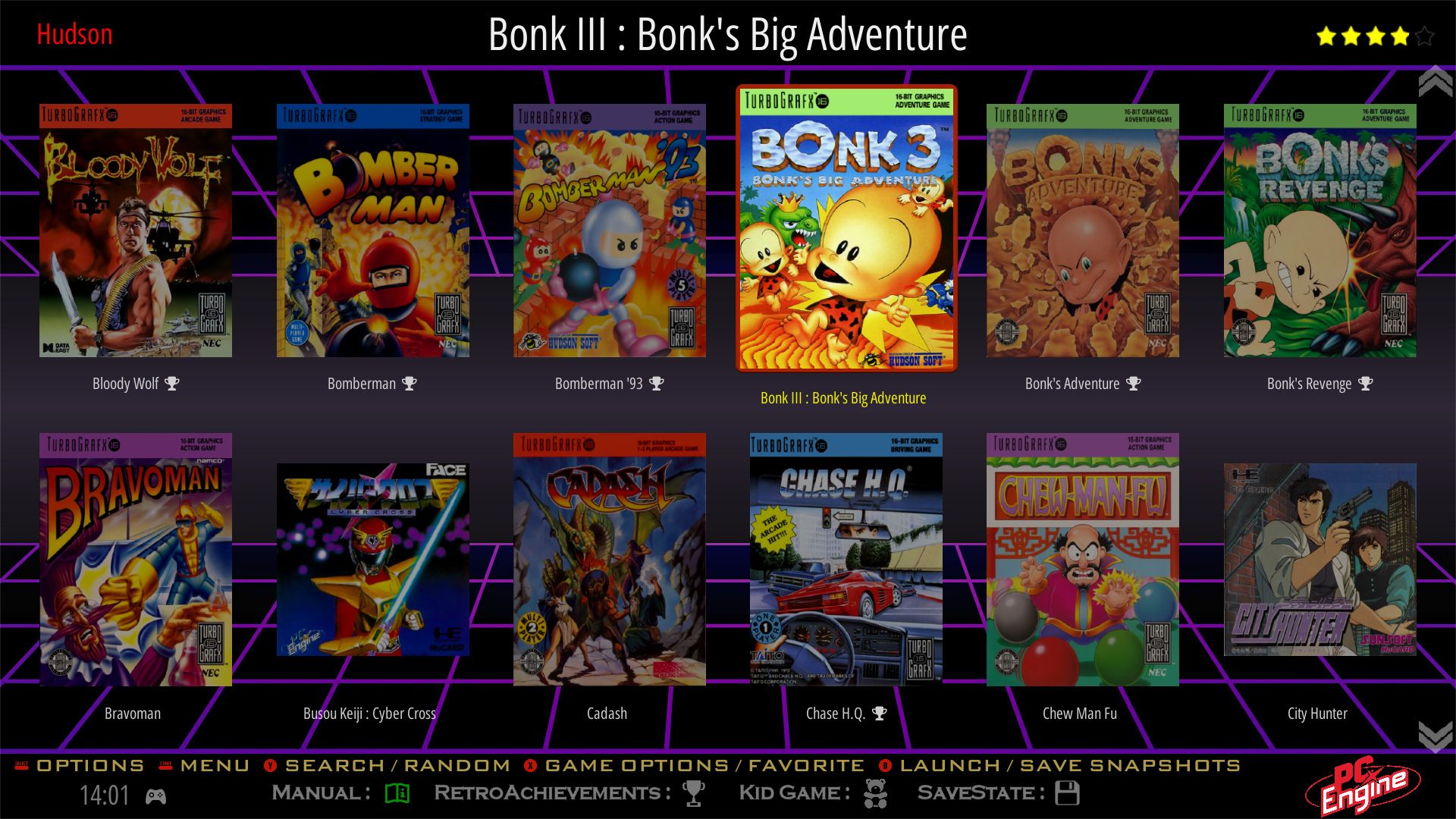
This is what it looks like in Batocera or Retrobat.

Could only find a screenshot with a single badge but it can display more attributes
Please authenticate to join the conversation.
Open To Community

LaunchBox for Windows
9 months ago

Kefka2b
Subscribe to post
Get notified by email when there are changes.
Open To Community
LaunchBox for Windows
9 months ago
Kefka2b
Subscribe to post
Get notified by email when there are changes.