Support for Network Drive Access on Chromebooks
Version of LaunchBox: LaunchBox for Android v1.16
Version of Windows: Not Windows but Google ChromeOS Version 131.0.6778.241 (Official Build) (64-bit)
How often the issue occurs: everytime when trying to import roms from network drives
Steps to reproduce: tap on import ROMs, select Network Drives as source
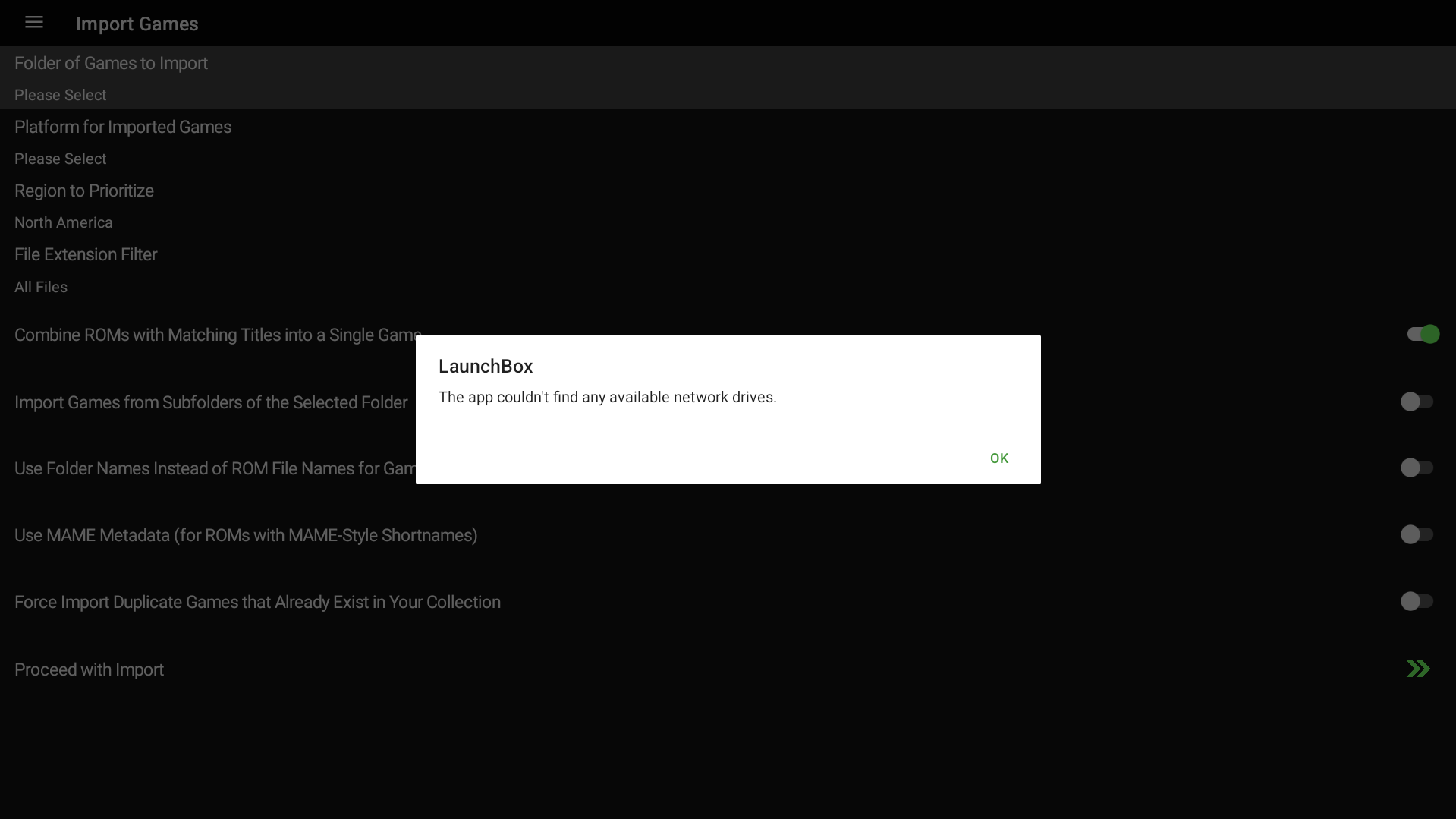
The complete error: “The app couldn’t find any available network drives”
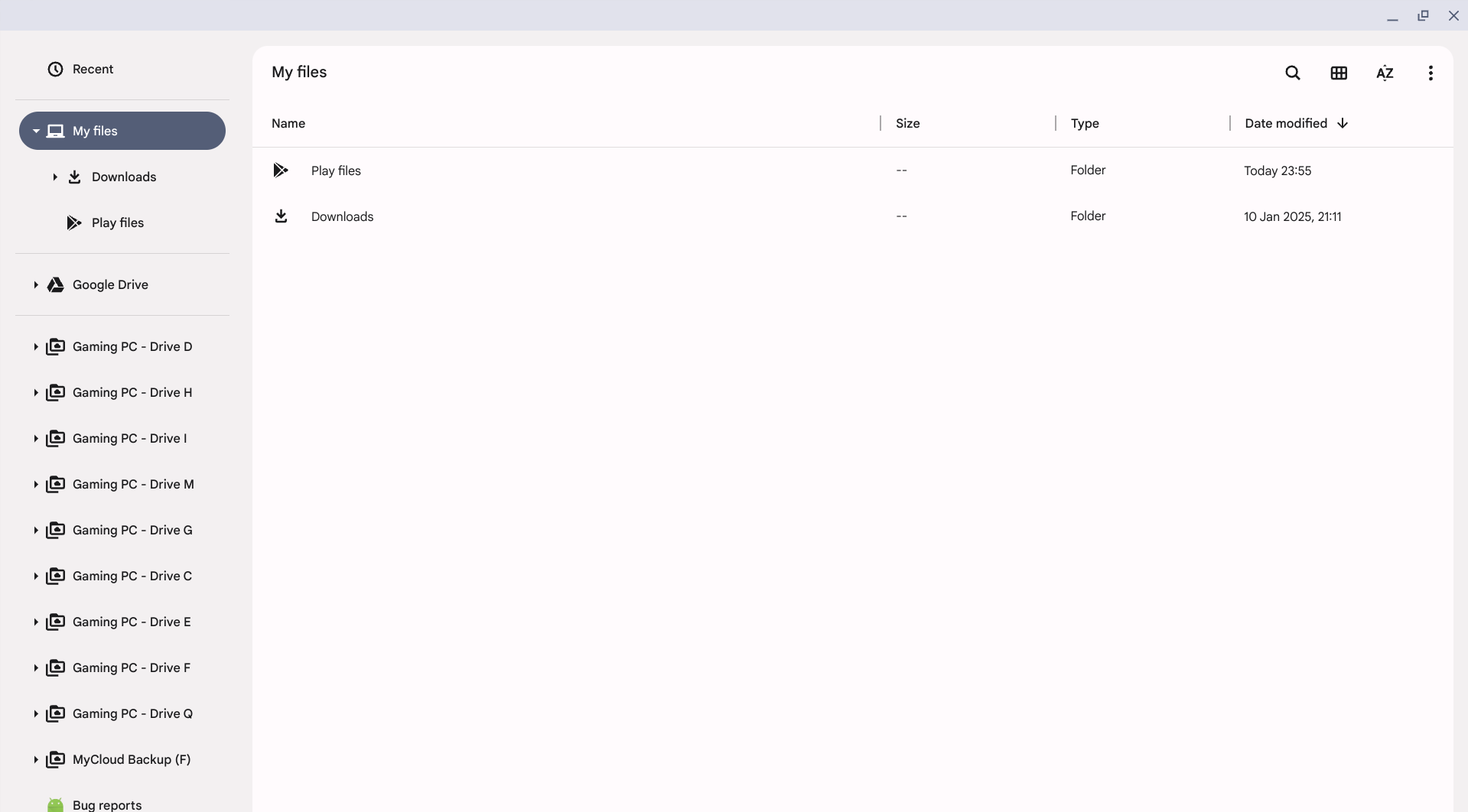
You can clearly see the error in the screenshot, and the proof that in fact network drives are attached to file manager, but not found by LaunchBox for Android.
Third-party Android apps on ChromeBooks specifically, that I tested and support network drives:
Synthesia (natively in file manager open-file-dialog, through global network drive mapping in settings)
Google File Manager (natively in file manager open-file-dialog, through global network drive mapping in settings)
CIFS Documents Provider (Workaround via a connection manager)
Cx File Explorer (Workaround via a connection manager)
VLC (Workaround via a connection manager)
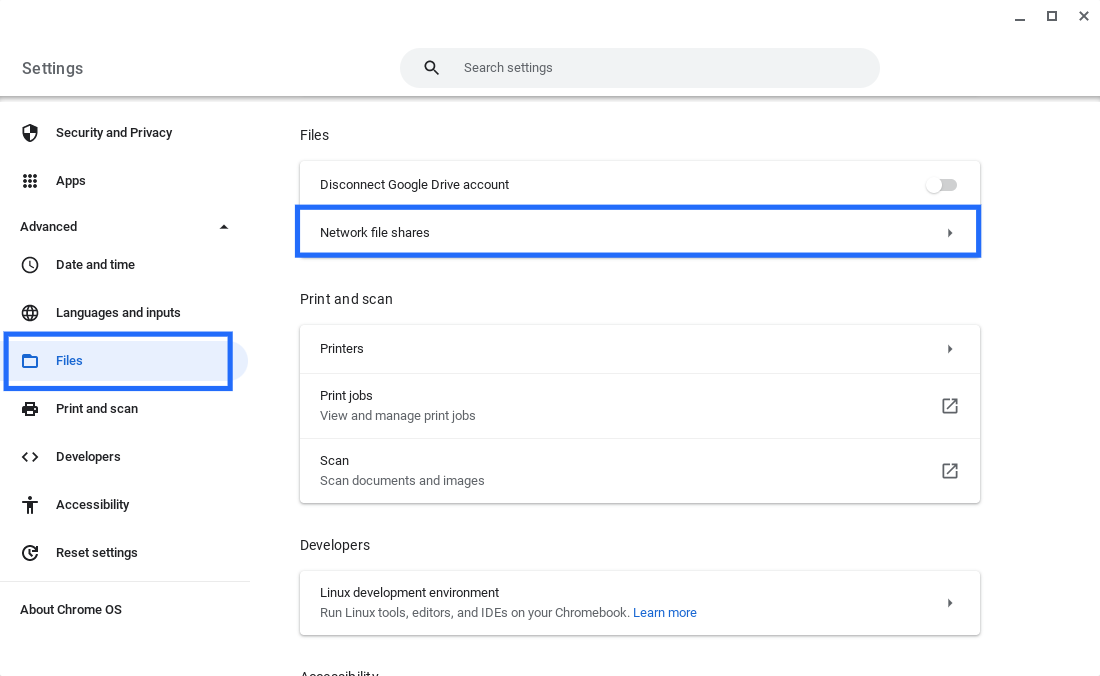
Screenshot of the global setting for adding network drives on ChromeBooks:
Please authenticate to join the conversation.
Open To Community

LaunchBox for Android
Over 1 year ago

Jazzjohannes
Subscribe to post
Get notified by email when there are changes.
Open To Community
LaunchBox for Android
Over 1 year ago
Jazzjohannes
Subscribe to post
Get notified by email when there are changes.