May 13th, 2026
LaunchBox for Windows
LaunchBox for Windows - 13.27
A Big Level Up for Achievements, Saves, Setup, and More 🎮⬆️
LaunchBox 13.27 is all about leveling up the features you already use, with improvements for players who love tracking progress, protecting saves, browsing media, and keeping their setup running smoothly.
This release includes major RetroAchievements expansions, a significantly upgraded Save Management experience, clearer first-time setup flows, smarter imports, Big Box improvements, media viewing upgrades, and plenty of everyday polish.
Below is a breakdown of the major highlights. Let's jump in.
For the full list of changes, visit our complete changelog below.
🔗 LaunchBox for Windows Changelog
RetroAchievements Gets a Major Upgrade 🏆
Track progress faster, browse achievements easier, and show the stats you care about ✨
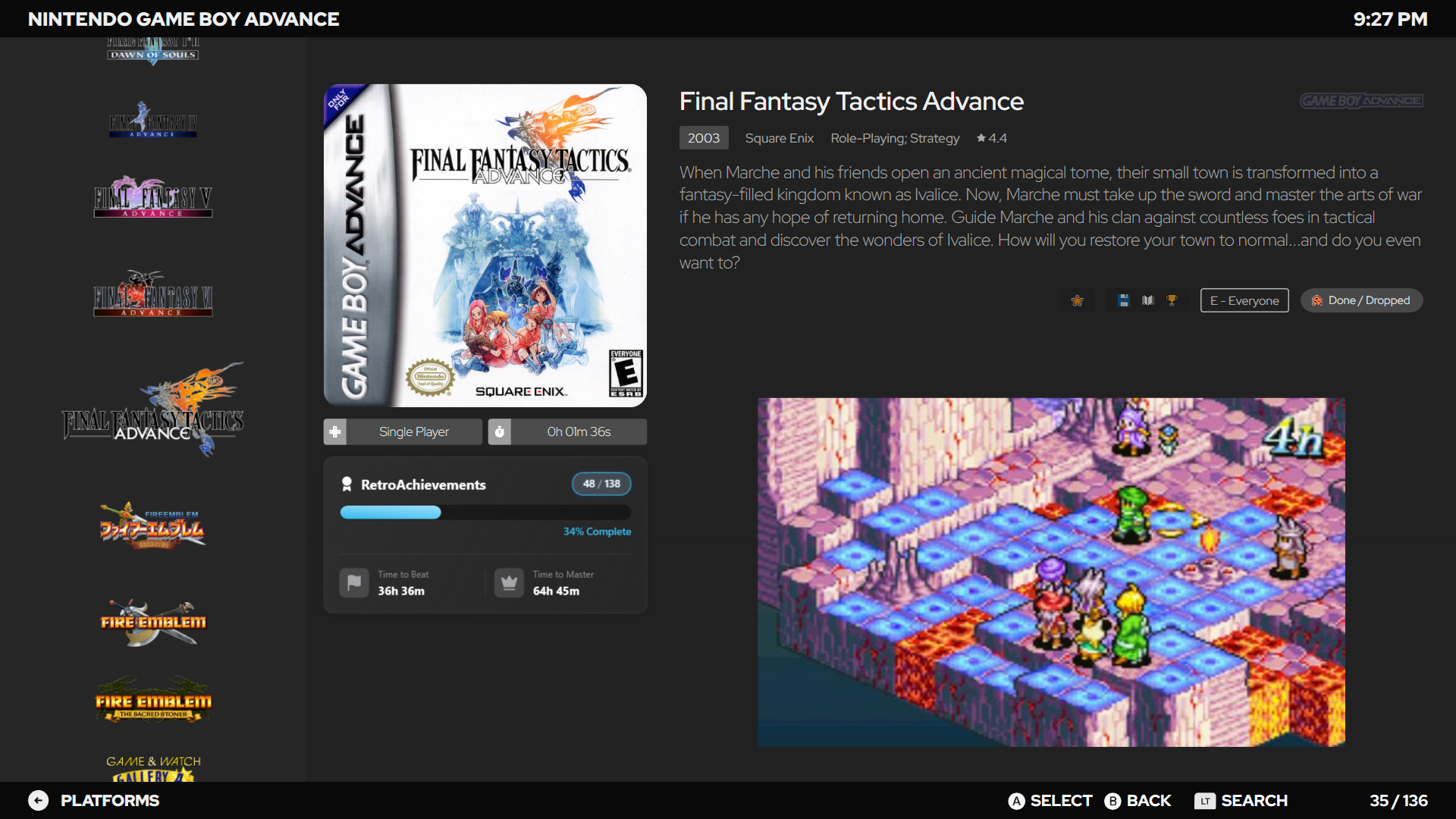
RetroAchievements now feel more at home across LaunchBox and Big Box. LaunchBox’s Game Details pane can show new Time to Beat and Time to Master stats, giving you a quick sense of whether a game is a light achievement hunt or a full mastery project before you jump in. This info is pulled directly from RetroAchievements and uses real-time player completion data to give accurate playtime commitments.
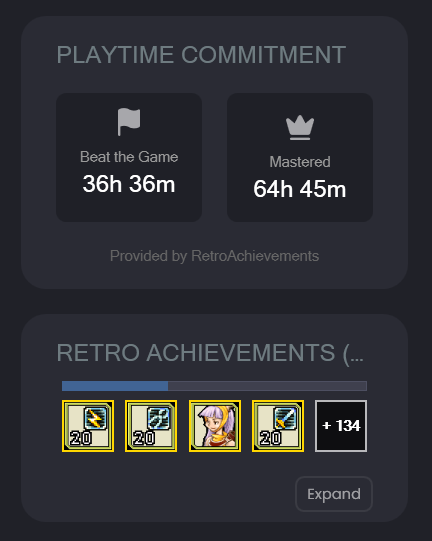
The same widgetI also shows up across various views in Big Box, and the best part about it is that it’s dev-ready, so theme developers can incorporate it into their custom themes.
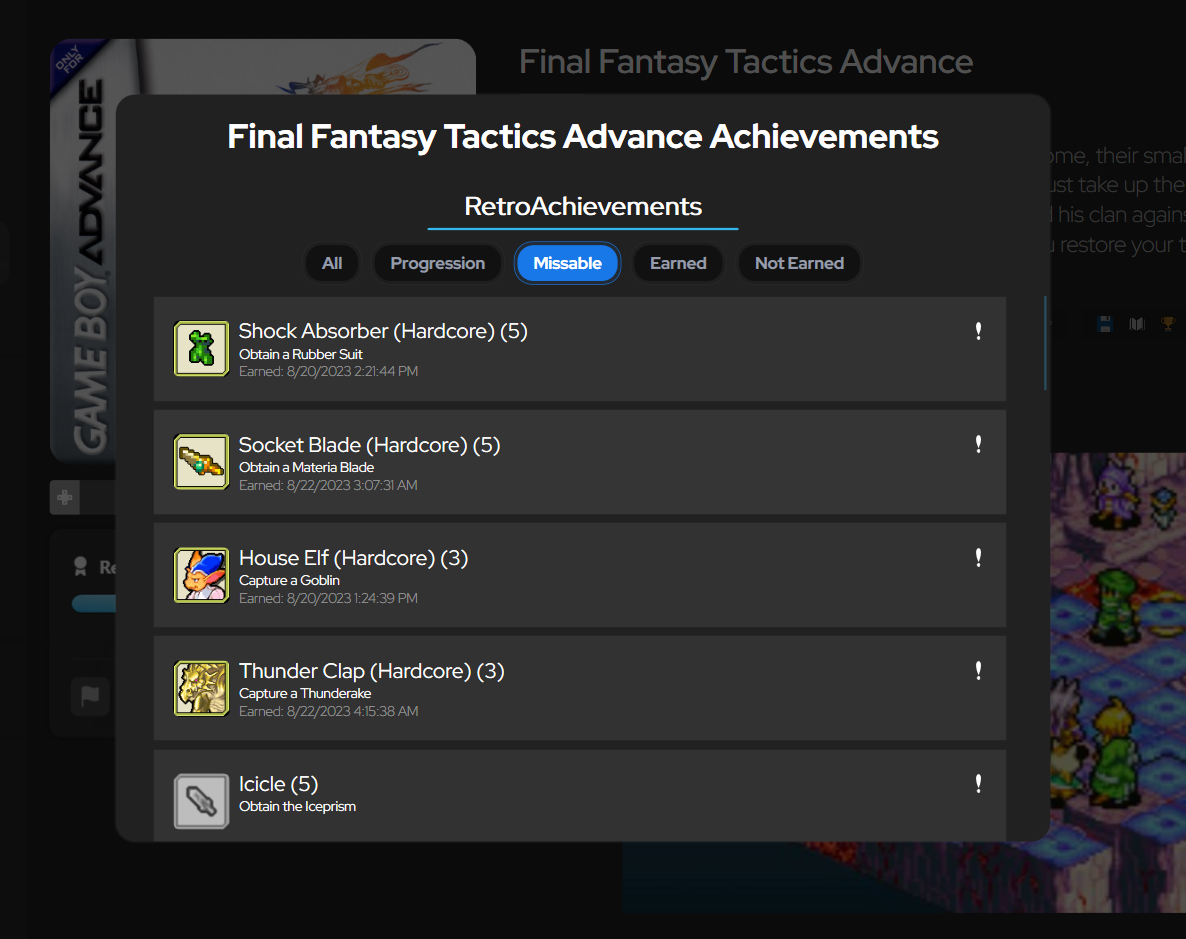
In Big Box, achievement lists are now filterable, making it much easier to narrow things down from the couch instead of scrolling through everything at once.
RetroAchievements profile pages have also been revamped in both LaunchBox & Big Box to load much faster and show more information, so checking your RetroAchievements progress feels quicker and more useful.
Additionally, LaunchBox now also supports configurable RetroAchievements stats, so you are no longer limited to showing only hardcore points. To choose what appears, right-click the RetroAchievements stat in the top menu bar and select the stat you want LaunchBox to display.
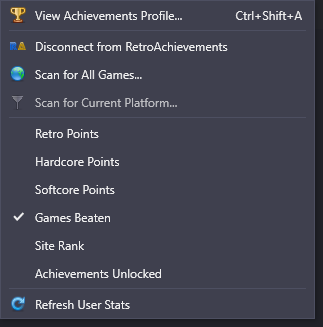
Finally, achievement badge support has also been added for WiiWare games, making it easier to spot RetroAchievements-supported WiiWare titles directly in your library.
For more information on RetroAchievments integration, see our dedicated guide below:
RetroAchievements in LaunchBox
Save Management Gets a Serious Upgrade 💾
Updating from an older version? ⚠️
If you already use LaunchBox Save Management, we highly recommend reading the migration guide before making major changes to your setup. Some save tracking behavior has been improved in 13.27, and the guide will help you understand what changed, what to check, and how to make the transition safely.
👉 13.27 Save Management Migration Guide
Save Management has been expanded with better tracking, automatic backups, backup-on-close options, backup limits, manual backup scans, save version history, labels, and grouped saves. If you are testing emulator settings, switching cores, or protecting long-running saves from accidental overwrites, LaunchBox now gives you more ways to keep your progress safe.
For setup details on how utilize save management, see our in-depth guide for this featureset 👉 Managing Save Games and States
The big new headline is expanded support for Dolphin and PCSX2. That means Save Management can now help track saves across Nintendo GameCube, Nintendo Wii, Nintendo WiiWare, and Sony PlayStation 2 setups in ways that were not previously supported.
Store your saves inside a PCSX2 memory card? No problem. Using Dolphin for GameCube, Wii? LaunchBox can now do a much better job finding the saves that belong to those games. The goal is simple: more of your emulator saves can be tracked, backed up, labeled, and restored directly through LaunchBox.
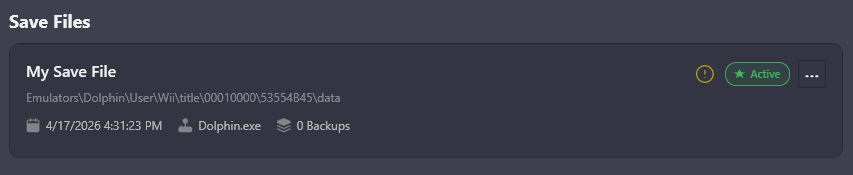
The new backup tools can keep a rolling history of your saves, so you can go back to an earlier version if something gets overwritten, corrupted, or changed in a way you did not expect. Backup-on-close is especially useful for games that write saves when the emulator exits, while backup limits help keep your backup history useful without letting it grow forever.
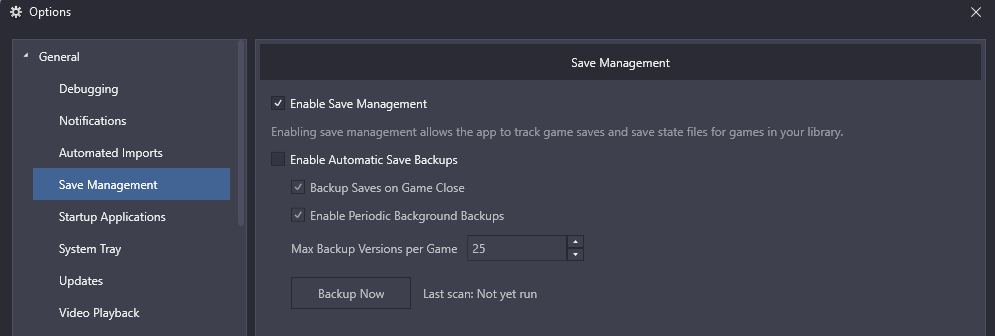
Manual backup scans give you a way to refresh what LaunchBox knows about your saves, and save version history makes it easier to see what backups are available before restoring anything.
Labels and grouped saves are where this gets especially useful. Labels let you add context to a save beyond just the date and time, such as identifying your original "Childhood Save" dumped from original hardware. Grouped saves help keep related saves together, which is great for long RPGs, challenge runs, alternate routes, or games where you want to track multiple milestones.
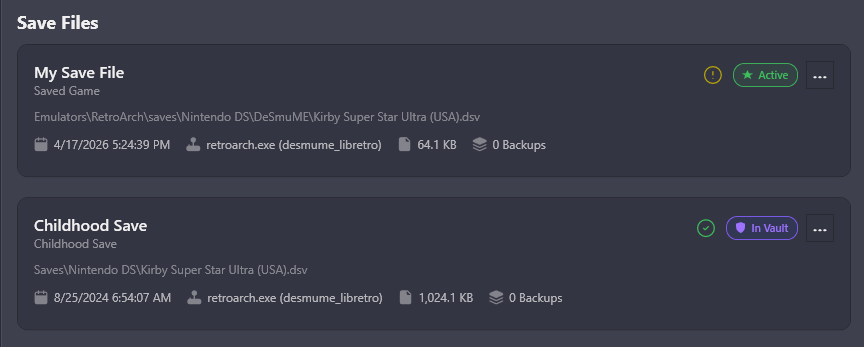
RetroArch save handling has also been improved, especially for Saturn and Sega CD style saves. Because these platforms can use multiple files for a single save, LaunchBox now does a better job identifying those related files and managing them together as one save instead of treating them like separate pieces.
Setup and Imports Are Easier to Follow 📥
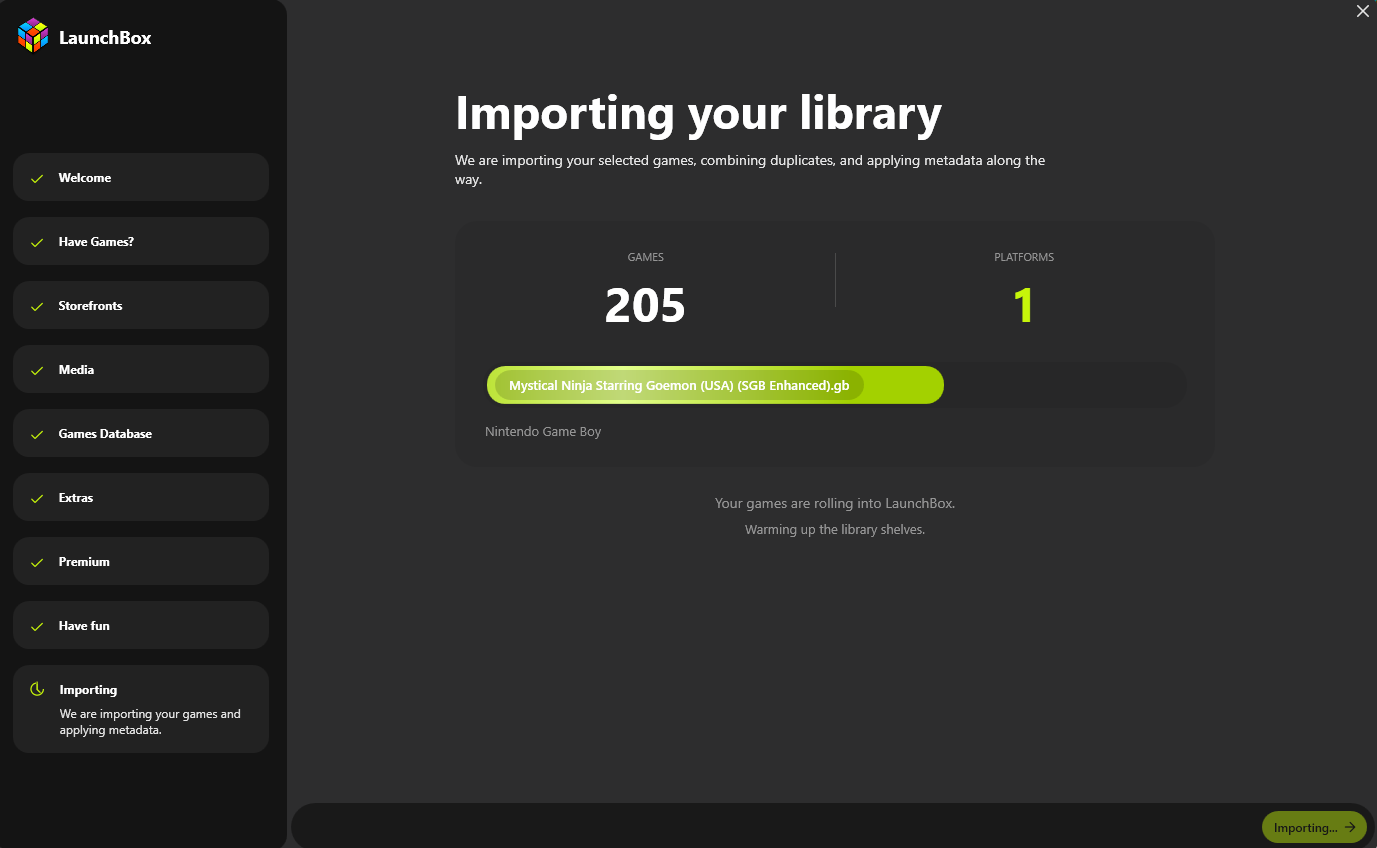
The Welcome Wizard has been overhauled with staged progress, clearer status messages, better retry handling, media download limits, and persistent image download queues. First-time setup should now feel much less like waiting on a mystery box and much more like a guided process where you can see what LaunchBox is doing.
This is especially useful during larger imports. You can better understand which stage you are on, limit how much media is downloaded during setup, and let image downloads continue more reliably instead of losing track of what still needs to be fetched.
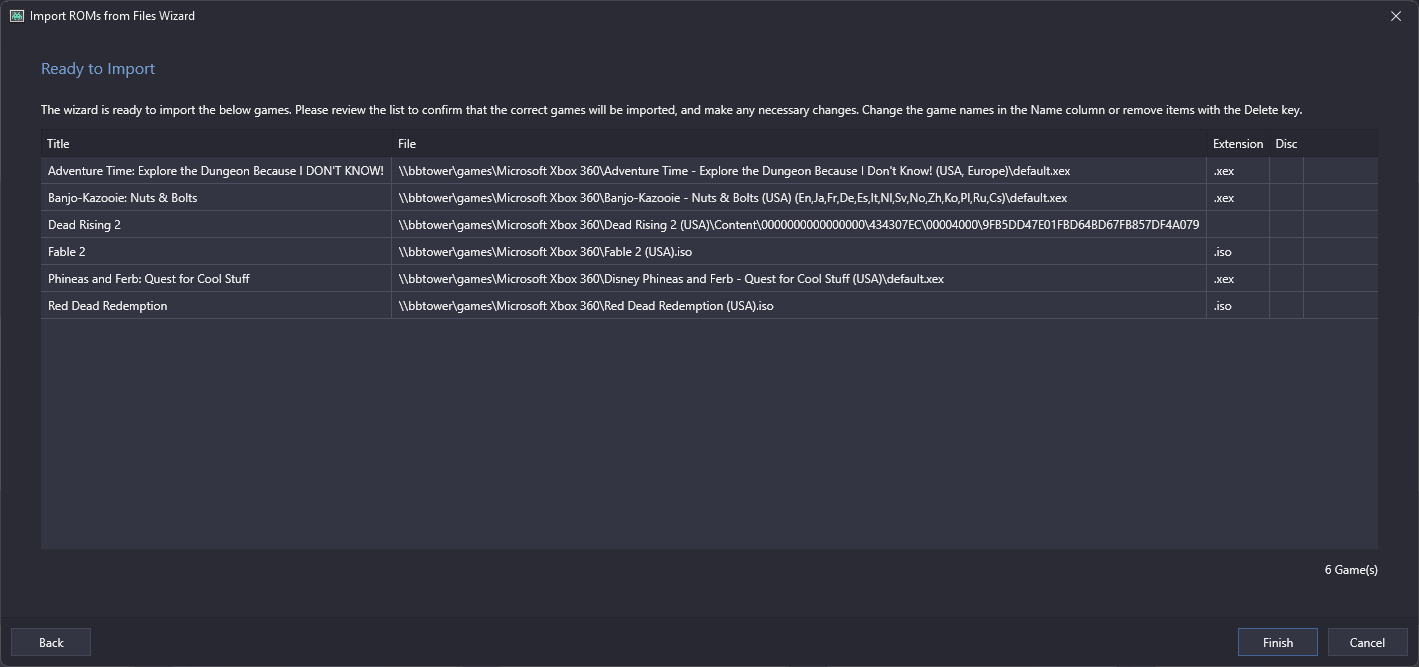
Several import flows have been improved too. Xbox 360 imports now support default.xex and Games on Demand formats across all import workflows, Ubisoft imports have better filtering and name cleanup, Xbox storefront imports have improved lookup and caching behavior, and LaunchBox now uses smarter ROM prioritization when combining multiple versions of the same game.
There is also a helpful FinalBurn Neo change: LaunchBox now automatically unchecks Extract ROMs for the emulator-associated platform, preventing unnecessary extraction for that setup.
Game Details Feels Faster and More Useful ⚡
Game Details has received several upgrades aimed at making it quicker to browse and more helpful at a glance. As mentioned above, RetroAchievements-supported games can now show Time to Beat and Time to Master stats, giving you more context before you launch into your next achievement run.
Performance has also been improved by deferring expensive Game Details and Related Games loading until it is actually needed. This helps reduce unnecessary work while browsing, especially in larger libraries or media-heavy setups.
Fullscreen image viewing now supports pixel-perfect integer scaling, image detail labels, and better fullscreen monitor behavior, making artwork and screenshots cleaner to inspect from when viewing images fullscreen.
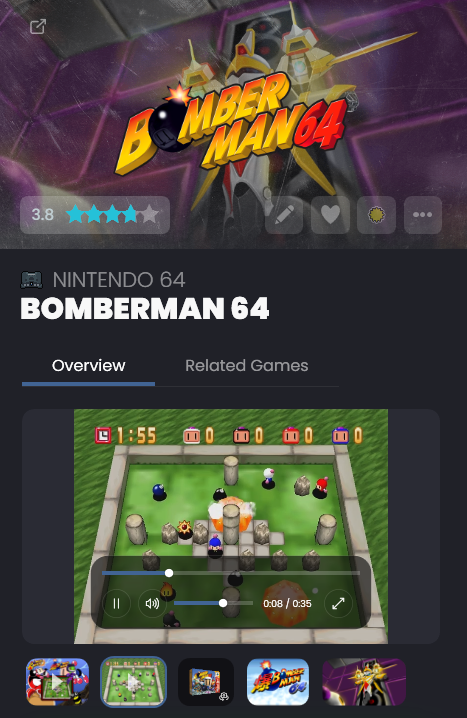
Game Details videos are easier to control now too, with new in-app video playback controls for a smoother viewing experience without leaving LaunchBox.
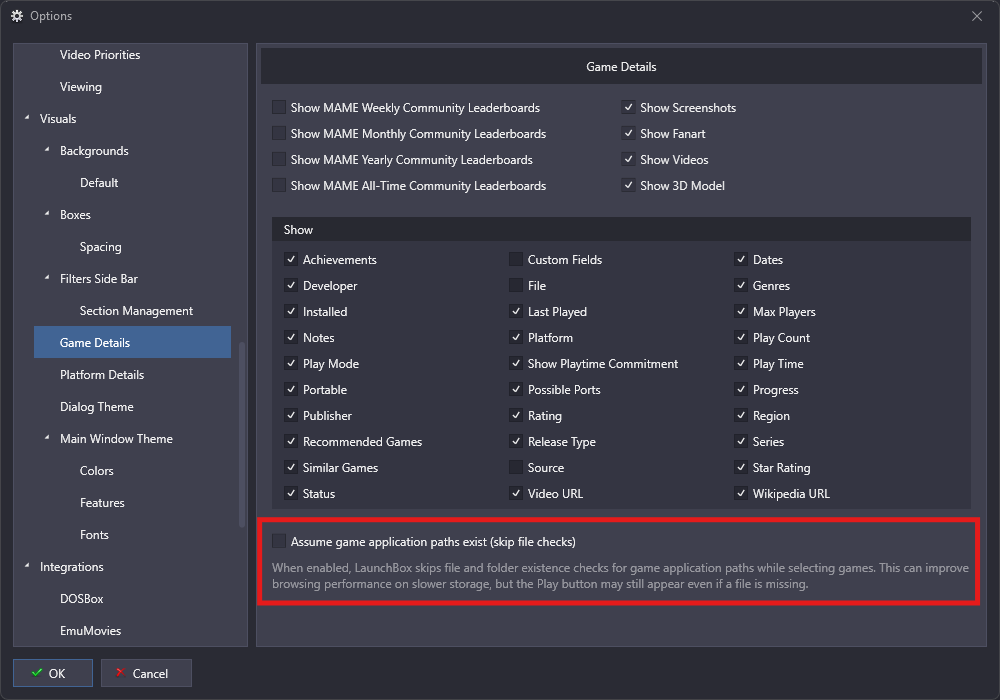
There is also a new Assume Game Paths Exist preference. When enabled, LaunchBox can avoid repeatedly checking whether every game path exists during browsing, which can help Game Details and library navigation feel more responsive in certain setups.
Media Fixes, Smarter Search, and More Polish 🎬
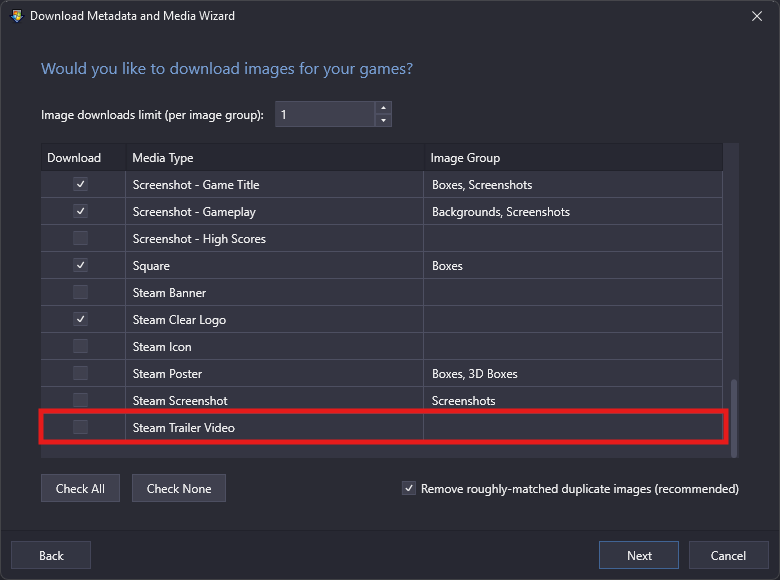
Steam trailer downloads are working again after Steam changed how some trailers are delivered. LaunchBox now handles Steam's newer streamed trailer format, meaning you can once again download Steam trailers with your media.
Video playback received several stability improvements too, especially for Big Box users. FFMPEG playback has been made more reliable, rare crashes related to video cleanup have been fixed, Windows Media Player view-navigation crashes have been addressed, and an issue where auto-play music could lock up the UI after Big Box opened has also been resolved.
Big Box Hybrid views now have their own dedicated search behavior as well. Searches stay scoped to the current platform or playlist instead of kicking you out into a global search, which makes Hybrid views feel much more natural when browsing from the couch.
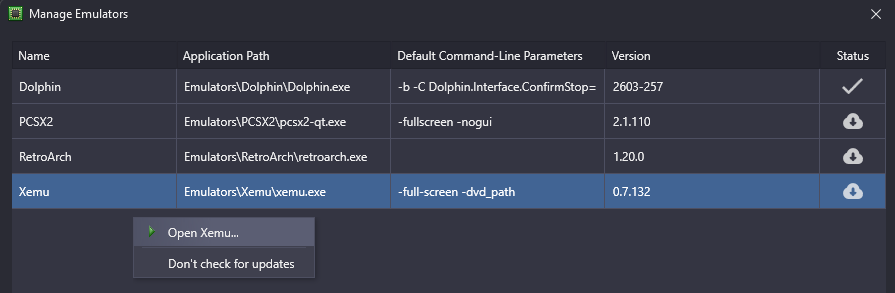
A few smaller workflow improvements round things out, including an Open Emulator shortcut in Manage Emulators, more reliable popup and plugin badge handling, and several crash fixes across editing, options, licensing, and emulator setup.
One More Thing: System Tray Support Is Now Free 🧺
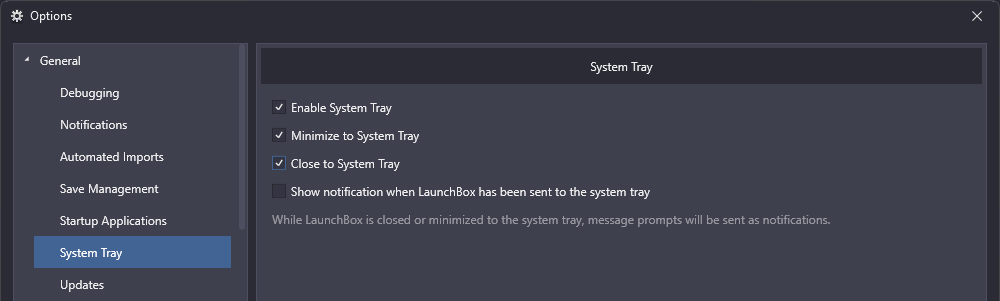
LaunchBox has learned a new trick: politely getting out of the way. System tray support, previously a premium-only feature is now available to users on the free version.
If you like keeping LaunchBox running quietly in the background without taking up taskbar icon space, this one is for you.
Wrapping Up 🙌
All in all, 13.27 is one of those updates that makes a lot of familiar parts of LaunchBox feel just a bit smarter, safer, and smoother to use. Whether you are chasing achievements, protecting saves, setting up a new library, or just browsing from the couch, there is a lot here that should make your day-to-day experience better.
Thanks as always to everyone testing, reporting, suggesting, and helping shape LaunchBox 🙌
For the full list of changes, fixes, and smaller improvements, visit the complete changelog below.